
Hosted Payment Pages (HPP)
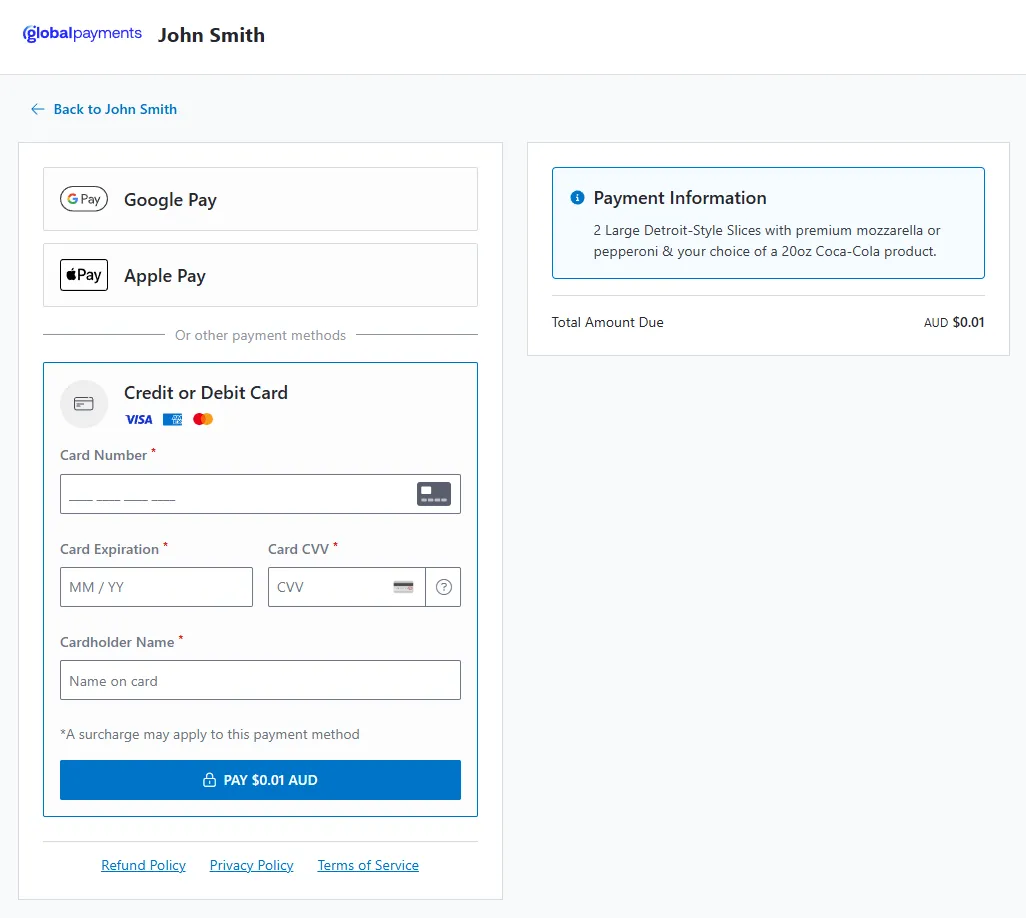
Hosted Payment Pages (HPP) is a SAPI-hosted checkout experience that removes the need for merchants to build a frontend payment integration. You create a Payment Request containing an hostedPaymentPage object, and the API response includes the HPP URL. Redirect your customer to that URL and the platform handles the payment UI, transaction processing, and result presentation on your behalf.
When to Use HPP
Section titled “When to Use HPP”Use HPP when you want a fully hosted payment flow with no frontend JavaScript integration. HPP is ideal for:
- Invoice and email payment links
- Redirect-based checkout flows
- Scenarios where you cannot host or manage frontend payment scripts
HPP vs PayUI
Section titled “HPP vs PayUI”| HPP | PayUI | |
|---|---|---|
| Integration | Server-side only; redirect the customer | Server + client; embed the JS SDK |
| Frontend code | None required | Script include + initialise call |
| Payment processing | Handled automatically by the platform | Merchant embeds PayUI and manages the client-side flow |
| Customisation | Merchant name, logo, and line items via Payment Request fields | Full visual theming via ui.variables |
| Result display | SAPI-hosted result page or redirect | Client-side process event |
Requirements
Section titled “Requirements”To use HPP, you need:
- Server-side access to the API to create Payment Requests via
POST /paymentrequests. - Card Not Present API Capability enabled on your merchant account during onboarding.
Integration Summary
Section titled “Integration Summary”| Step | Where | What | API | Output |
|---|---|---|---|---|
| 1 | Backend | Create Payment Request with hostedPaymentPage |
POST /paymentrequests |
Payment Request id + HPP url |
| 2 | Backend | Redirect the customer to the HPP url from the response |
— | Customer lands on HPP |
| 3 | Customer | Complete payment on the hosted page | — | Transaction submitted |
| 4 | Platform | Display result or redirect customer | — | Outcome shown |
| 5a | Backend (recommended) | Receive final state via webhooks | Webhook events | Final state |
| 5b | Backend (fallback) | Poll the Payment Request | GET /paymentrequests/{id} |
Final state |
For the full step-by-step guide, see HPP Integration.
Payment Methods
Section titled “Payment Methods”Cards are the primary payment method for HPP. When you omit paymentMethods from the Payment Request, it defaults to ["card"].
Digital wallets (Apple Pay, Google Pay) may be available through HPP when enabled on your merchant account and requested in the Payment Request. Contact your account representative for wallet availability.
Quick Links
Section titled “Quick Links”- Integration Guide: HPP Integration
- Outcomes & Results: HPP Outcomes
- Examples: HPP Examples
- Webhooks: Webhooks